
Karbon
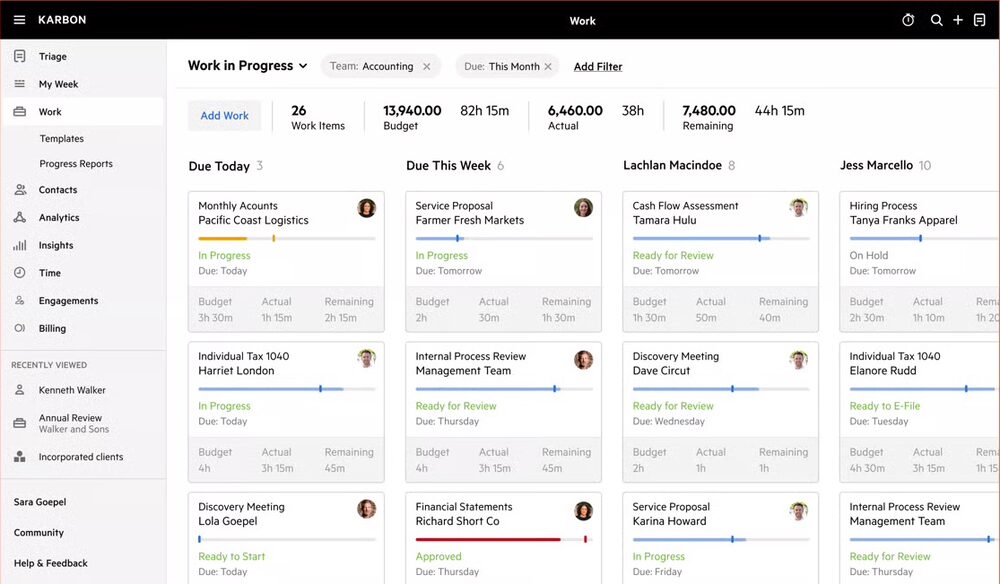
All-in-one practice management — workflow, email, and billing — with the category's deepest API.
| Category | Practice Management |
|---|---|
| Best for | Small · mid firms |
| Pricing | From $59/user/mo |
| Integration | Open API |
| Official site | karbonhq.com |
How it connects. It offers a self-serve public API, so it is among the easiest tools here to connect to. Compare every tool by integration openness →
Karbon pros and cons
Pros
- Email triage is genuinely integrated with work — client emails, tasks, and jobs live on one timeline, which remains its signature
- The most complete self-serve public API in practice management, with webhooks — automation-minded firms can actually build
- Mature workflow automation: templates, client tasks, automatic reminders that reliably chase clients
- Strong multi-team visibility for firms past the everyone-knows-everything size
Cons
- Premium per-user pricing that stings as headcount grows
- Real onboarding curve — firms that skip implementation discipline churn off it
- Email-centric model is a mismatch for firms that live in portals or phones
- No tax prep, no ledger: it orchestrates work done in other tools
Who Karbon is for — real-world scenarios
The firm drowning in its shared inbox
Ten staff, one info@ inbox, no one sure who owns which client thread. Karbon’s email-to-work triage is the specific cure for this specific disease.
The automation-minded firm with an ops brain
A practice that wants to script its workflows — auto-create jobs, sync status to a dashboard, push data around. The open API is the differentiator no close competitor matches.
Bottom line
The premium pick for firms whose bottleneck is coordination and email chaos, and the default pick for firms that want to build on an API. Pay for it when those describe you; a simpler tracker is cheaper when they do not.